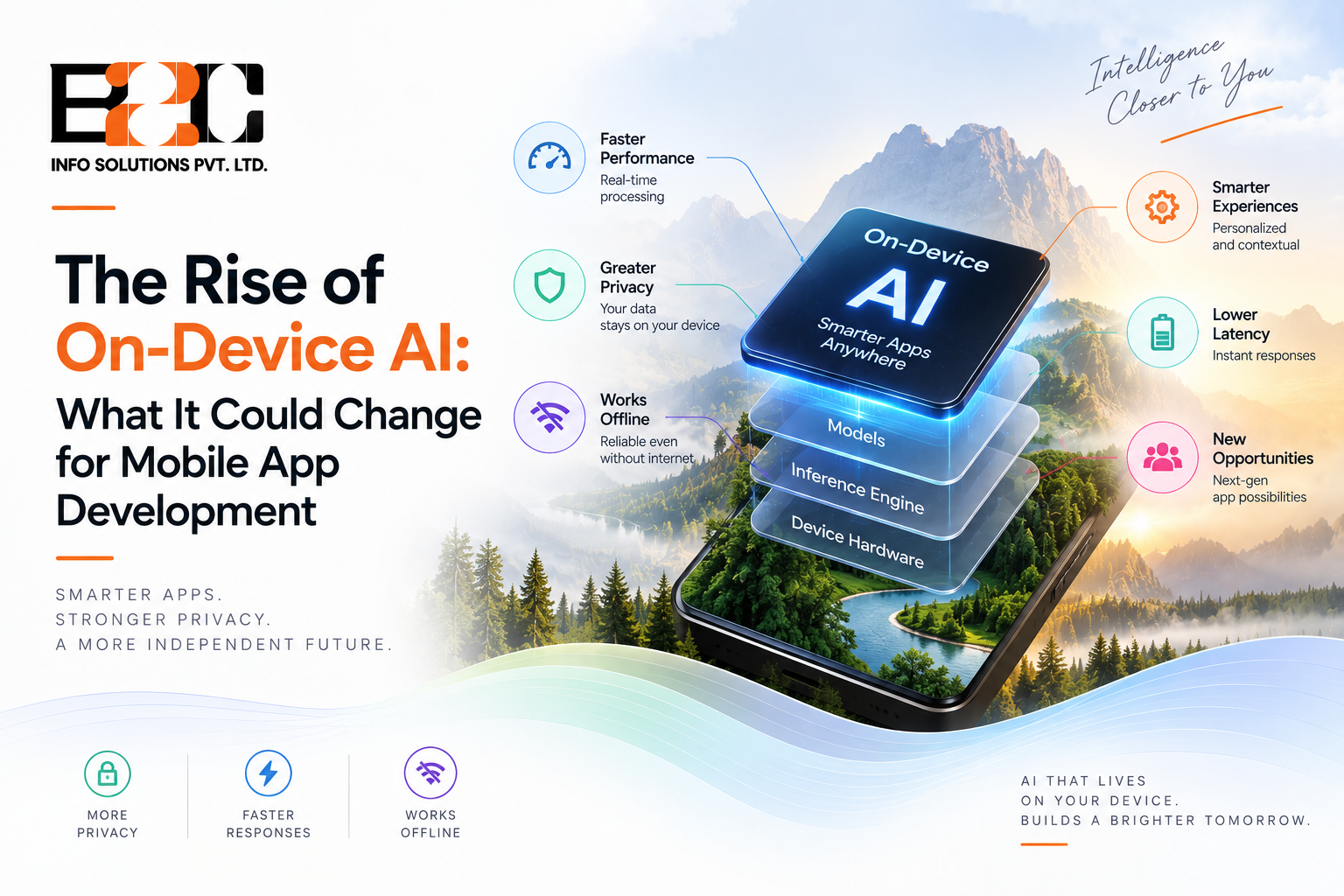
For years, most of the intelligence inside a mobile app lived somewhere else. A photo was uploaded, a voice clip was sent off, a recommendation was fetched, and the phone waited for a server to send an answer back. That pattern is changing. Many newer smartphones can now run selected machine learning models directly on the device, without sending the inference request to the cloud. For any mobile app development company in India, this shift is not a minor technical footnote. It is starting to influence how apps are designed, priced, tested, and sold to clients.
This article looks at what on-device AI actually is, why it is gaining ground now, and what it could mean for teams building mobile products in the near future.
On-device AI refers to machine learning models that run locally on a smartphone, tablet, or wearable, using the device's own processor rather than sending data to a remote server for inference. The model itself is stored on the device, often in a compressed or optimized form, and calculations happen using specialized hardware such as a neural processing unit (NPU) or other AI accelerator, depending on the device and chipset. Apple's Core ML, for instance, can distribute workloads across the CPU, GPU, and Neural Engine rather than relying on one component alone.
This is different from simply having an AI feature inside an app. A chatbot that calls an API in the background is still cloud-dependent. Fully local processing can allow an app to produce results without a network connection, provided the required model and supporting resources are already stored on the device. Google's ML Kit, for example, distinguishes between models bundled with the app, which work offline immediately, and hosted models that need to be downloaded first.
Cloud-based AI sends a request over the internet to a data center, waits for a large model to process it, and receives the result back. This approach works well for very large models that would never fit on a phone, but it comes with a round trip delay, ongoing server costs, and a dependency on network quality.
On-device AI trades some of that raw model size and power for speed, privacy, and independence from connectivity. A hybrid approach can be a practical middle ground, where lightweight tasks run locally and heavier reasoning is still handed off to the cloud when needed.
A few practical forces are pushing this shift forward at the same time, rather than one single breakthrough.
When a model runs on the device itself, there is no network call, no waiting for a server queue, and no latency introduced by distance to a data center. For features like real-time camera filters, voice transcription, or predictive text, this difference is very noticeable to a user, even if they never think about it in technical terms.
Keeping sensitive data on the device can reduce the amount of information transmitted to backend systems and may lower some privacy and security exposure. It does not remove an app's broader privacy, security, or regulatory obligations. Apple describes on-device processing as a privacy benefit, but local processing alone does not automatically make an application compliant with a given regulation. Its real value lies in limiting unnecessary data transmission, supporting broader data-minimization goals.
Every inference call to a cloud AI service has a cost attached, and that cost scales with usage. As an app's user base grows, server-side AI can become a significant recurring operating expense. Shifting suitable workloads on-device can reduce or eliminate the cloud inference cost tied to those requests, though on-device work brings its own costs in development, optimization, and testing.
Apps used in areas with patchy connectivity, such as logistics, field service, or rural healthcare tools, benefit directly from features that keep working without an active connection, provided the model is already stored locally. This has long been a gap in AI-powered apps, and on-device models help close it.
These advantages are not just theoretical. They are already reshaping decisions that development teams make from the earliest planning stage.
Instead of defaulting to a cloud API for every intelligent feature, teams now have to decide, feature by feature, where processing should actually happen. This decision affects everything downstream, including app size, battery consumption, and how the backend is structured.
A hybrid setup is often the most workable option. Simple, frequent tasks such as object detection, keyboard suggestions, or basic image enhancement can run locally, while complex or resource-intensive tasks may still be handled in the cloud when the device cannot efficiently support the required model. Getting this split right requires a clear understanding of both the product's use case and the hardware it will run on, which is where an experienced development partner becomes valuable.
Designers can build around instant feedback loops instead of loading spinners and progress bars. A camera app that edits photos live, a fitness app that tracks form in real time, or a translation tool that works mid-conversation all become easier to justify once processing no longer depends on a network round trip.
Building for on-device AI is a different discipline from building against a cloud API. Teams need familiarity with model compression, quantization, and platform technologies such as Core ML on Apple platforms, and ML Kit, AICore, Gemini Nano, and TensorFlow Lite-based workflows across Android. This is pushing many businesses to work with a specialised AI development firm in India rather than trying to build this expertise in-house from scratch, since the tooling and best practices are still evolving quickly.
Health and wellness applications can use on-device models for tasks such as activity recognition, sleep-related analysis, or fall detection, depending on the device, model, and regulatory context. Functions resembling clinical diagnosis, such as heart rhythm assessment, can fall into regulated medical-device territory, so what an ordinary wellness app can claim is usually narrower than it first appears.
Some financial applications use on-device signals as one layer of fraud or risk detection, flagging unusual behavior locally before it reaches the backend. Comprehensive transaction analysis, however, typically still happens on server-side systems, since a full risk picture often depends on account history that does not live on the device alone.
Shopping applications can use on-device recommendation models to adapt parts of the experience, such as recently viewed items, to local behavior without waiting for a server to update a stored profile. This is more common for narrow personalization tasks than for an entire recommendation engine.
On-device AI is not a simple switch to flip, and it brings its own set of trade-offs.
Not every phone in a user's audience has hardware capable of running the same AI workload efficiently. Older or lower-cost devices may struggle with certain models, so apps may need fallback logic that uses a smaller local model, a different processing path, or a cloud service when local hardware cannot support the required workload.
Larger, more accurate models generally need more memory and processing power. Fitting a useful model into a phone's constraints, without draining the battery or taking up excessive storage, involves real trade-offs between accuracy and efficiency.
Putting a model directly into an app can increase its download size and complicate future updates, since a new model version may require a new build submitted through the app store. Some platforms support remotely delivered models instead, keeping the initial app smaller and allowing updates independent of the app binary, though this brings its own download and connectivity considerations.
Because behavior can vary across chipsets, operating system versions, and device manufacturers, testing on-device AI features usually takes more device coverage than testing a typical cloud-connected feature.
Businesses planning a new app, or evaluating whether to add AI features to an existing one, do not need to adopt every emerging capability at once. A more practical approach is to identify the two or three features in the app where speed, privacy, or offline reliability would make a meaningful difference to users, and start there. From that point, it becomes far easier to decide which parts of the product genuinely benefit from local processing and which are still better served by the cloud.
This is also a good moment to audit existing AI features for hidden costs. Apps that call a cloud model for tasks that do not truly need constant server access are often paying for latency and infrastructure they could avoid.
No. Many applications can benefit from a hybrid model, where lightweight and frequent tasks run locally, while larger or less time-sensitive tasks still rely on cloud processing. Fully local processing will remain more practical for some workloads than others, particularly as device capabilities and model efficiency continue to improve.
It depends on the task and the device. Dedicated AI accelerators can improve the efficiency of supported workloads, but total energy use depends on the model, the hardware, how often inference runs, and whether network communication is also required. Apple, for instance, describes Core ML as distributing work across the CPU, GPU, and Neural Engine while aiming to minimize memory footprint and power use.
Apps that need instant feedback, handle sensitive personal data, or need to function without a reliable internet connection tend to benefit the most. Common examples include camera and photo tools, keyboard and predictive text features, translation apps, and certain fitness or wellness tracking functions.
The upfront development cost can be higher, since it requires model optimization and broader device testing. Over time, it can reduce cloud inference costs for workloads suited to local execution, although those savings need to be weighed against the added development, optimization, testing, and device-support effort.
Not necessarily. It makes the most sense for specific use cases involving speed, privacy, or offline access. Businesses without a clear need for these benefits can continue using cloud-based AI while planning for a gradual shift as the technology and tooling mature further.
On-device AI is still evolving, and it will not replace cloud computing altogether. What it is doing is giving product teams a genuine choice about where intelligence should live inside an app, based on speed, privacy, cost, and reliability rather than habit. Businesses that evaluate this shift early can make more deliberate decisions about where AI processing should happen, potentially improving responsiveness, privacy, or offline reliability where those benefits actually matter. If you are exploring how this shift applies to your own app idea or existing product, get in touch with our team to discuss what would actually make sense for your use case.

 4 North
  52 Cornmarket
  C-25, C Block, 91springboard
 #02 - 161 IMM Building