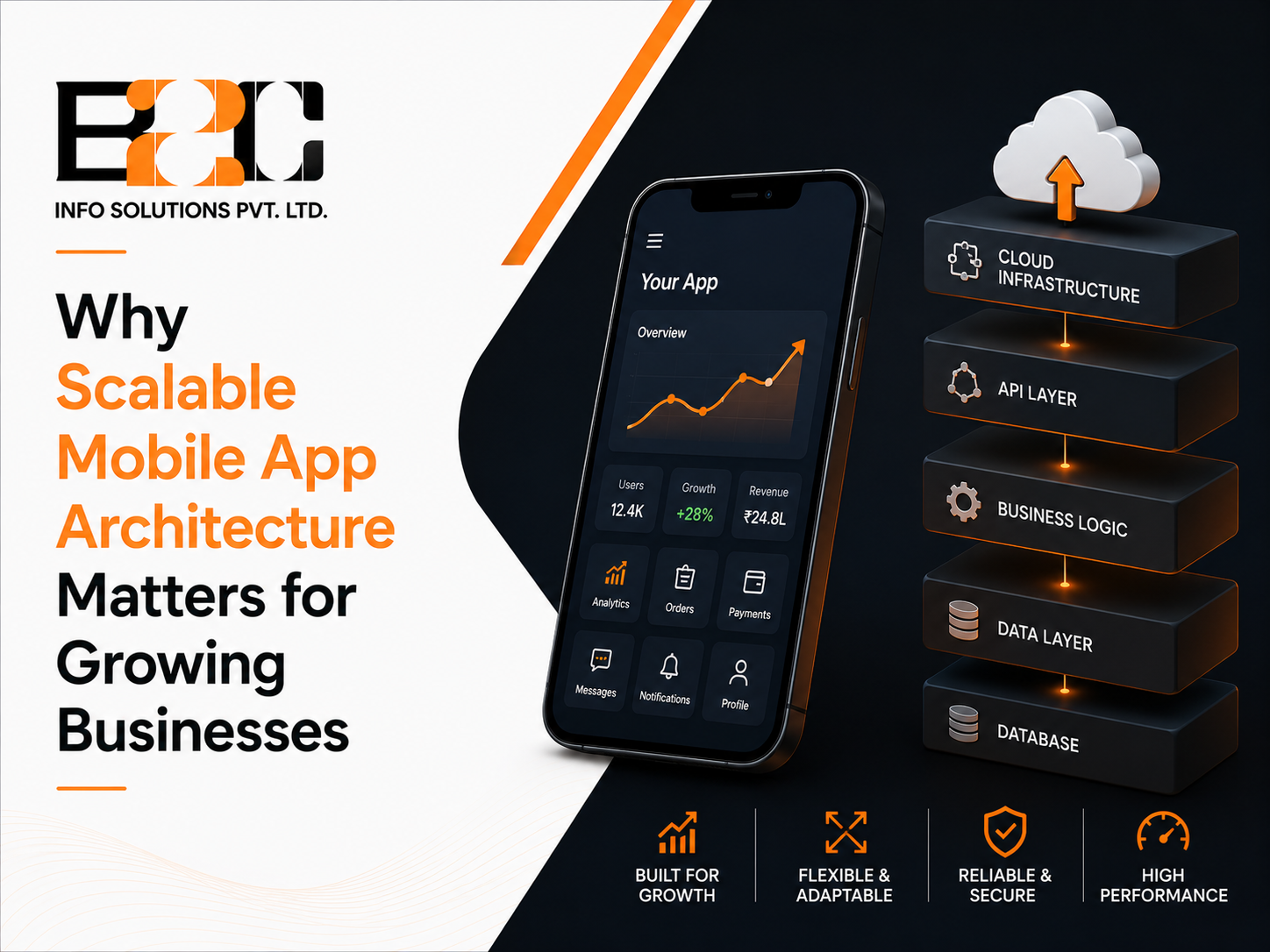
A mobile app that works well for a thousand users can behave very differently once it reaches a hundred thousand. Screens that loaded instantly start to lag, backend servers strain under concurrent requests, and features that were quick to build become difficult to change without breaking something else. This is not always a coding problem. In many cases, it reflects architectural decisions that were made before the app experienced significant traffic. Businesses that plan for growth from the start, often by working with an experienced mobile app development company in India, tend to avoid the expensive rebuilds that come from treating scalability as an afterthought.
Scalable architecture refers to how an app's components, including the user interface, business logic, data layer, and backend services, are structured to handle more users, data, and features over time without a complete redesign. It is not a single technology or framework. It is a set of design decisions made early that determine how easily an app can grow later.
An app can look identical to users on the surface while having a completely different capacity to handle growth underneath. Two apps with the same features can behave very differently once real-world usage increases, depending entirely on how they were architected from the beginning.
Reworking an app's architecture after it is already live can be significantly more expensive and disruptive than considering scalability during the initial design. Retrofitting typically means migrating live user data, rewriting core modules while the app is still running, and testing everything again to confirm nothing breaks. Many businesses discover this only after growth has already started to strain the original build, at which point the fix competes directly with new feature development for the same engineering time.
Growing businesses rarely see steady, predictable traffic. A marketing campaign, a seasonal sale, or a sudden spike in press coverage can multiply active users within hours. An app built on a rigid architecture may slow down or fail entirely during these moments, which is often when new customers are forming their first impression of the brand. A scalable design absorbs these spikes without requiring emergency intervention.
In a monolithic setup, the user interface, business logic, and data handling are built as one interconnected unit. This approach is often faster to build initially and simpler to deploy for a small team, which is why many early-stage apps start this way. The tradeoff appears later: as a tightly coupled codebase grows, changes can require broader regression testing and coordination, increasing the time and effort needed to release new features, and scaling one part of the app usually means scaling all of it.
Layered architecture separates an app into distinct layers, typically presentation, business logic, and data, each with a clear responsibility. This separation makes the codebase easier to maintain and test than a monolith, since a change in one layer has a more predictable, contained effect on the others. It is a common middle ground for businesses that need more structure than a monolith but are not yet ready for a fully distributed system.
Microservices break an application into smaller, independently deployable services, each responsible for a specific function such as payments, notifications, or user profiles. This allows individual services to be updated, scaled, or replaced without touching the rest of the app. It adds operational complexity, since more services mean more coordination, monitoring, and infrastructure to manage, but it gives fast-growing businesses the flexibility to scale exactly the parts of the app that need it most.
Breaking functionality into independent modules with well-defined APIs allows teams to update or replace one part of the app without destabilizing the rest. Clean, well-documented APIs also make it easier to connect the mobile app to other systems the business already uses, such as a CRM, an ERP, or a payment gateway, without building fragile, one-off integrations each time.
Cloud infrastructure can provide the tools needed to expand or contract backend resources based on demand when autoscaling and capacity-management mechanisms are configured appropriately, rather than being fixed to a single server's capacity by default. Containerization packages an application and its dependencies into portable units, making deployments more consistent across environments. When combined with orchestration and autoscaling, containers can also support independent deployment and scaling of specific services as traffic increases.
Consider a retail business launching a new product with a large marketing push. On a rigid, monolithic backend, a sudden surge in orders could slow down the entire app, including unrelated features like browsing or account login. With a modular architecture and appropriately configured cloud infrastructure, the order and payment components can be scaled independently, reducing the risk that a checkout surge overwhelms unrelated parts of the application.
Many businesses building this kind of infrastructure work with a development partner that has direct experience designing modular, cloud-ready systems rather than adapting a rigid legacy structure after problems already appear.
Artificial intelligence is increasingly built into mobile apps for use cases like personalized recommendations, fraud detection, and intelligent search, rather than existing only as a separate chatbot feature. Supporting AI features effectively requires architecture that manages model requests, data retrieval, networking, orchestration, and computational workloads without allowing those processes to degrade the core app experience.
Because AI workloads have different scaling requirements than typical app features, more businesses are working with an AI development partner in India early in the architecture planning process, rather than trying to bolt AI capabilities onto a system that was never designed to support them.
There is no single architecture that fits every business. The right choice depends on expected user growth, the complexity of the features planned, the size of the engineering team, and how the app is likely to integrate with other business systems over time. A small team validating a new idea may reasonably start with a simpler architecture and plan a deliberate migration path as the business proves itself.
Architecture decisions made in the first few months of development tend to shape an app's flexibility for years afterward. A development partner who has already worked through these tradeoffs on other growing products can help a business avoid decisions that look reasonable early on but become expensive constraints later, without over-engineering a system the business does not yet need.
Scalable architecture is not about anticipating every possible future scenario. It is about making deliberate, informed decisions early so that growth becomes a technical opportunity rather than a technical emergency. Businesses that treat architecture as a strategic decision, not just an engineering detail, put themselves in a stronger position to handle growth when it actually arrives. If you are planning a new app or reconsidering the foundation of an existing one, our mobile app development team can help you think through an architecture built for where your business is heading, not just where it is today.
It refers to how an app's interface, business logic, and backend are structured so it can handle more users, data, and features over time without requiring a complete rebuild. It is a set of design decisions, not a single tool or technology.
Not necessarily. Microservices offer flexibility and independent scaling but add operational complexity, including increased latency, debugging complexity, and coordination overhead, that may not be justified for a small team or an early-stage app. Many businesses start with a simpler architecture and migrate toward microservices as specific parts of the app need to scale independently.
Ideally before development begins. Core architecture decisions are difficult and costly to change once an app is live with real users and data, so planning for expected growth at the design stage is generally more efficient than retrofitting scalability later.
Often yes. AI features typically involve additional data retrieval, orchestration, and computational load that need to be handled without slowing down the core app, which usually means designing specific parts of the architecture to route and scale AI workloads separately from standard app functions.
In many cases, yes. Rather than a full rebuild, businesses can often modularize specific high-traffic parts of an app, move backend services to cloud infrastructure, and introduce clean APIs incrementally. For larger legacy applications, an incremental modernization approach such as the Strangler Fig pattern can allow specific capabilities to be extracted and modernized without replacing the entire system at once, though the right approach depends on how the existing app was originally built.

 4 North
  52 Cornmarket
  C-25, C Block, 91springboard
 #02 - 161 IMM Building